
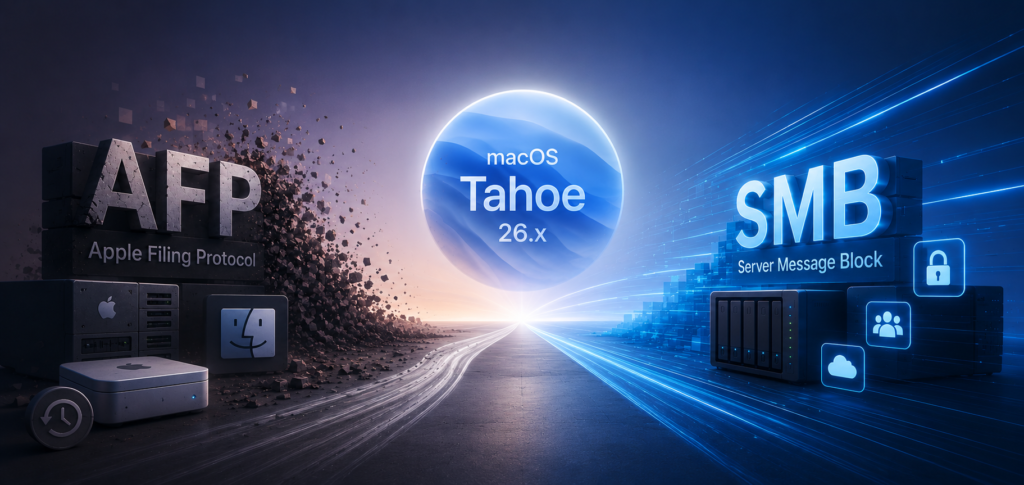
For many Mac admins and media pro’s, AFP still feels like the “native” way to connect Macs to shared storage. For years, Apple Filing Protocol provided a smoother experience than SMB in creative workflows, particularly in Mac-only environments.
But in 2026, the situation is really quite different and we’ll explore here in some detail.
Apple has now formally deprecated the AFP client in recent versions of macOS, including macOS Tahoe 26.x, and has stated that AFP support will be removed in a future release. While AFP still functions today, the direction from Apple is now clear.
The question is no longer whether AFP is modern. The real question is whether it still makes sense in existing workflows, and how urgently organisations should plan to drop it alltogether.
AFP Still Works in macOS Tahoe
The important point is that AFP has not disappeared quite yet.
Current versions of macOS Tahoe can still connect to AFP shares using Finder, afp:// URLs and command-line tools such as mount_afp. Existing AFP-based NAS systems, archive servers and Time Capsule devices continue to operate just as before – or should do.
However, Apple now describes AFP as deprecated technology and explicitly warns that it will be removed in a future version of macOS.
This isn’t a surprise. Apple removed AFP server functionality from macOS years ago, leaving only the client side still operational. Tahoe now appears to represent a transition phase before AFP disappears completely.
There is strong evidence that macOS 27 and beyone may remove AFP-based Time Machine support entirely, particularly for older Time Capsule and AFP-only backup targets. It is also widely expected that full AFP client support could disappear at the same time.
For administrators, this means AFP should now be treated as legacy infrastructure.
Why AFP Was So Popular
AFP was originally designed specifically for Macintosh systems and historically handled Mac metadata extremely well.
For years it offered advantages such as:
- Better Finder integration
- Reliable handling of resource forks and metadata
- Strong Mac permissions compatibility
- Good file locking behaviour
- Stable performance in Mac-only environments
In creative industries, AFP became deeply embedded into workflows involving video editing, graphics production and shared media storage.
For years, Mac users actively preferred AFP over SMB because SMB support on macOS was inconsistent and often unreliable.
That reputation has persists to some extent.
SMB Is Much Better Than It Used To Be
Modern SMB is very different from the SMB implementations Mac users struggled with a decade ago.
Today, SMB3 is mature, fast and highly interoperable across macOS, Windows, Linux and enterprise NAS platforms. Apple itself moved SMB to become the default file-sharing protocol many years ago and has continued improving its SMB stack ever since.
In properly configured environments, SMB now provides:
- Excellent throughput
- Modern encryption and security
- Better compatibility across platforms
- Improved reliability
- Better cloud integration
- Long-term vendor support
Current NAS platforms from vendors such as Synology, QNAP and TrueNAS generally work very well with macOS over SMB3.
For most new deployments in 2026, SMB is now the correct choice.
Which AFP Servers Still Exist?
Although AFP is clearly declining, several storage platforms and specialist file servers still support it today.
Many older NAS systems from Synology and QNAP continue to offer AFP support for compatibility with legacy Mac environments, although in many cases AFP is now disabled by default or marked as deprecated.
Specialist Mac-focused file server products also continue supporting AFP, particularly in media and publishing environments where long-established workflows remain in use.
One notable example is HELIOS Software GmbH and its HELIOS Universal File Server G8 platform. HELIOS has historically maintained strong support for professional Mac workflows and continues to provide AFP connectivity alongside SMB for compatibility with existing production environments. This remains relevant in publishing, prepress and creative workflows where legacy Finder behaviour and older applications are still important considerations.
Open-source AFP server implementations also still exist, particularly Netatalk, which remains widely used in Linux and UNIX environments for AFP compatibility and legacy Time Machine support.
However, even among vendors that still support AFP, the direction is increasingly focused on SMB3. AFP is now generally treated as a compatibility feature rather than a strategic long-term protocol.
Where AFP Still Makes Sense
Despite its long decline, AFP has not become entirely irrelevant overnight.
There are still environments where AFP remains useful and practical.
Legacy Creative Workflows
Some older creative applications and production systems were originally validated around AFP behaviour. In long-standing post-production or archive environments, AFP may still behave more predictably than SMB with legacy software stacks.
If an environment is stable, isolated and operationally proven, administrators are often understandably cautious about making unnecessary protocol changes.
Time Capsule and Legacy Time Machine
Apple Time Capsule hardware is probably one of the largest remaining AFP deployments today.
macOS Tahoe still supports AFP-based Time Machine backups, but Apple is now warning users that future versions of macOS will require SMB-based backup targets instead.
For organisations or users still relying on AFP-only Time Machine destinations, 2026 should probably be viewed as the time to begin migration planning.
Archive and Air-Gapped Systems
Some archive infrastructures intentionally avoid change wherever possible.
This can apply to:
- LTO archive environments
- Air-gapped storage systems
- Legacy ingest stations
- Historic production archives
If these systems are isolated from routine macOS upgrades, AFP may remain operational for years. However, compatibility with future Apple hardware and operating systems becomes increasingly uncertain.
The Bigger Issue Is Future Compatibility
The biggest problem with AFP in 2026 is not current functionality.
It is future risk.
Apple has clearly moved AFP into end-of-life territory. That means:
- No meaningful future development
- Increasing compatibility uncertainty
- Eventual removal from macOS
- Reduced testing and bug fixing
Any workflow that still depends critically on AFP should now be considered transitional.
Organisations should already be:
- Testing SMB alternatives
- Validating permissions behaviour
- Benchmarking performance
- Checking application compatibility
- Planning migration timelines
The earlier this happens, the less disruptive future macOS upgrades are likely to become.
Conclusion
AFP is not completely dead in 2026, but it is unquestionably entering its final phase.
macOS Tahoe still supports AFP connectivity today, and there are still legitimate legacy workflows where AFP remains useful. In stable media and archive environments, it may continue operating successfully for some time yet.
But the industry has largely moved on. Modern SMB is now mature, fast and reliable, and Apple has clearly committed to SMB as the future of file sharing on macOS.
For new deployments, SMB should almost always be the default choice.
AFP still has a place in certain legacy environments, particularly where specialist Mac workflows, archive infrastructure or long-established production systems remain in operation. But with Apple now openly signalling its removal, organisations relying on AFP should assume that the countdown has begun and plan accordingly.